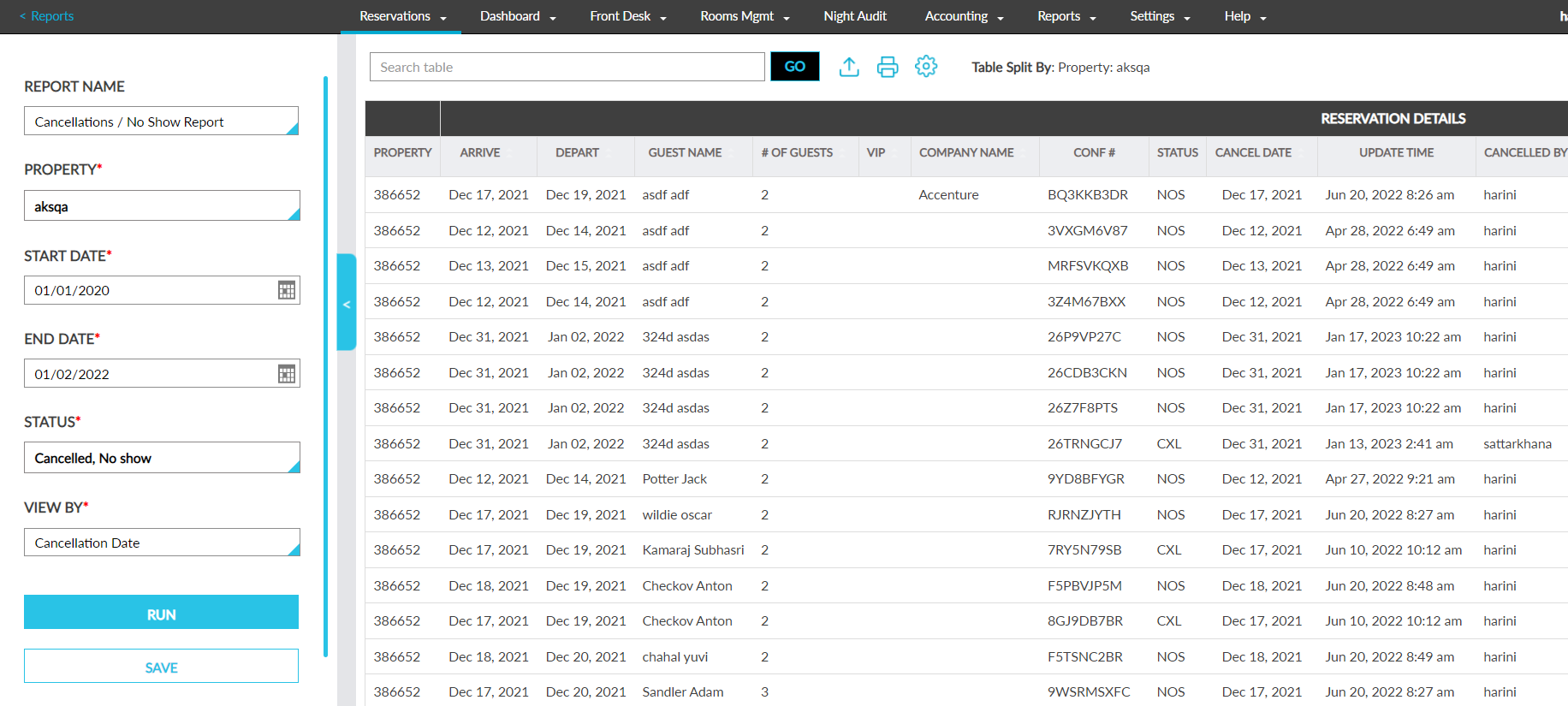
Enhancements to Cancellations/No Show Report (Dynamic)
The Cancellations/No Show Report (Dynamic) is enhanced to allow users to view the reservations that were cancelled on a specific date. A new drop-down list, View By, is introduced as a report generation parameter with the following options:
-
Cancellation date
-
Stay date
When a stay date is selected, the report will be generated based on the existing functionality. When cancellation date is selected, the report will be generated based on the following options selected by the user in the Status section:
-
When Canceled is selected, the reservations that were canceled between the selected date range will be displayed. For example, if the report is generated from 1 March 2023 to 5 March 2023, the reservations that were canceled between these dates should be displayed.
-
When No Show is selected, the reservations that were marked no show between the selected date range will be displayed. For example, if the report is generated from 1 March 2023 to 5 March 2023, the reservations that were marked no show between these dates should be displayed.
-
When both Canceled and No Show are selected, the reservations that were canceled and marked no show between the selected date range will be displayed. For example, if the report is generated from 1 March 2023 to 5 March 2023, the reservations that were canceled and marked no show between these dates should be displayed.